exponential





A source-available, self-hostable Linear-style issue tracker with a terminal-shaped soul.
Create issues, plan cycles, triage inbox — entirely under your control.
Quickstart
Security:.env.exampleships with placeholder secrets. Set real values forEXPONENTIAL_SESSION_SECRET,EXPONENTIAL_METRICS_TOKEN, andDB_PASSWORD(openssl rand -hex 32) **before the instance accepts any network connections** — not only before sharing it.
Run the full stack locally (web + API + Postgres + Redis):
# Required: replace sample secrets in .env before exposing the app

git clone https://github.com/namuh-eng/exponential.git && cd exponential && cp .env.example .env && $EDITOR .env && docker compose up --build
Build time: this compiles the full Go + Node.js stack from source (~15 min and ~8 GiB RAM on a typical machine). A faster image-based path is coming in #634.
Open http://localhost:7015 — done.
Full self-hosting guide: docs/self-hosting.md
Why exponential?
| Feature | exponential | Linear | Jira | Plane |
|---|---|---|---|---|
| Self-hostable | Yes — Docker Compose or ECS | No (Cloud only) | Server edition (EOL) | Yes |
| Open / source-available | Yes (ELv2) | No | No | Yes (AGPL) |
| Go headless API | Yes — OpenAPI contract + SDK | No | No | No |
| MCP server | Yes — hosted HTTP + local stdio | No | No | No |
| Keyboard-first UI | Yes — command palette + shortcuts | Yes | Limited | Limited |
| Cycles (sprints) | Yes | Yes | Yes (Scrum) | Yes |
| Initiatives / roadmap | Yes | Yes | Roadmap plugin | Yes |
| AI integrations | OpenAI summaries, MCP | Yes (Ask Linear) | Atlassian Intelligence | Limited |
| CLI | Yes (TypeScript, npm) | Limited | Limited | No |
| License | Elastic 2.0 — use + modify, no resale | Proprietary | Proprietary | AGPL |
Current architecture
- Go API owns business endpoints, auth, OpenAPI strict stubs, sqlc queries, SQL
migrations, RED metrics, and Stripe webhook processing.
- Next.js 16 web is UI-only and talks to the Go API through the generated SDK
and same-origin /api/* rewrites.
- Docker Compose runs web, API, migrations, Postgres, and Redis as the default
self-hosting path.
- AWS ECS scripts can provision and deploy split web/API services with RDS,
ElastiCache, S3, SES, ECR, ALB routing, smoke tests, and Secrets Manager.
- Integration parity planning is tracked in
docs/integration-parity-roadmap.md, with the P0/P1/P2/P3 build order and provider issue map.
What You Get
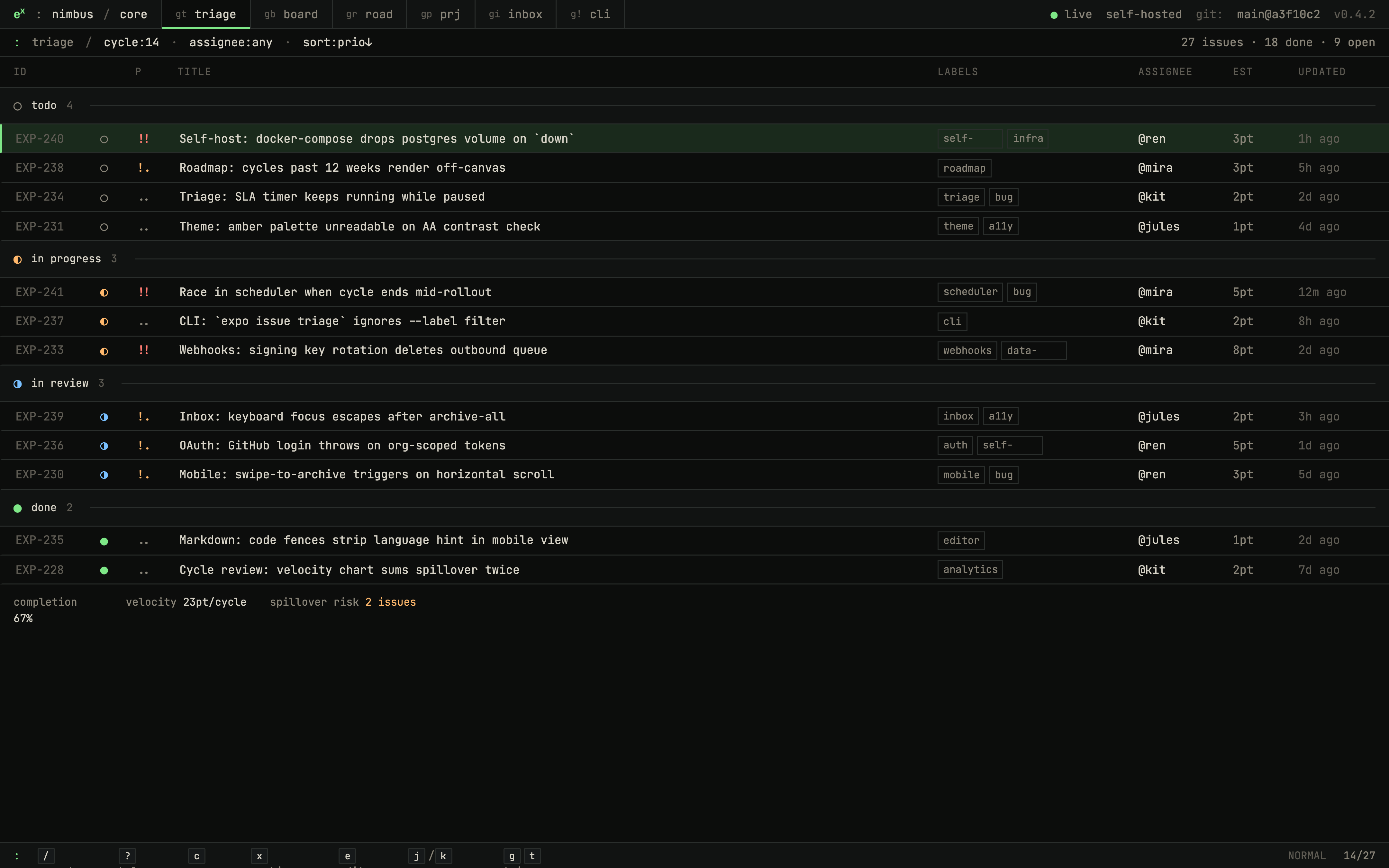
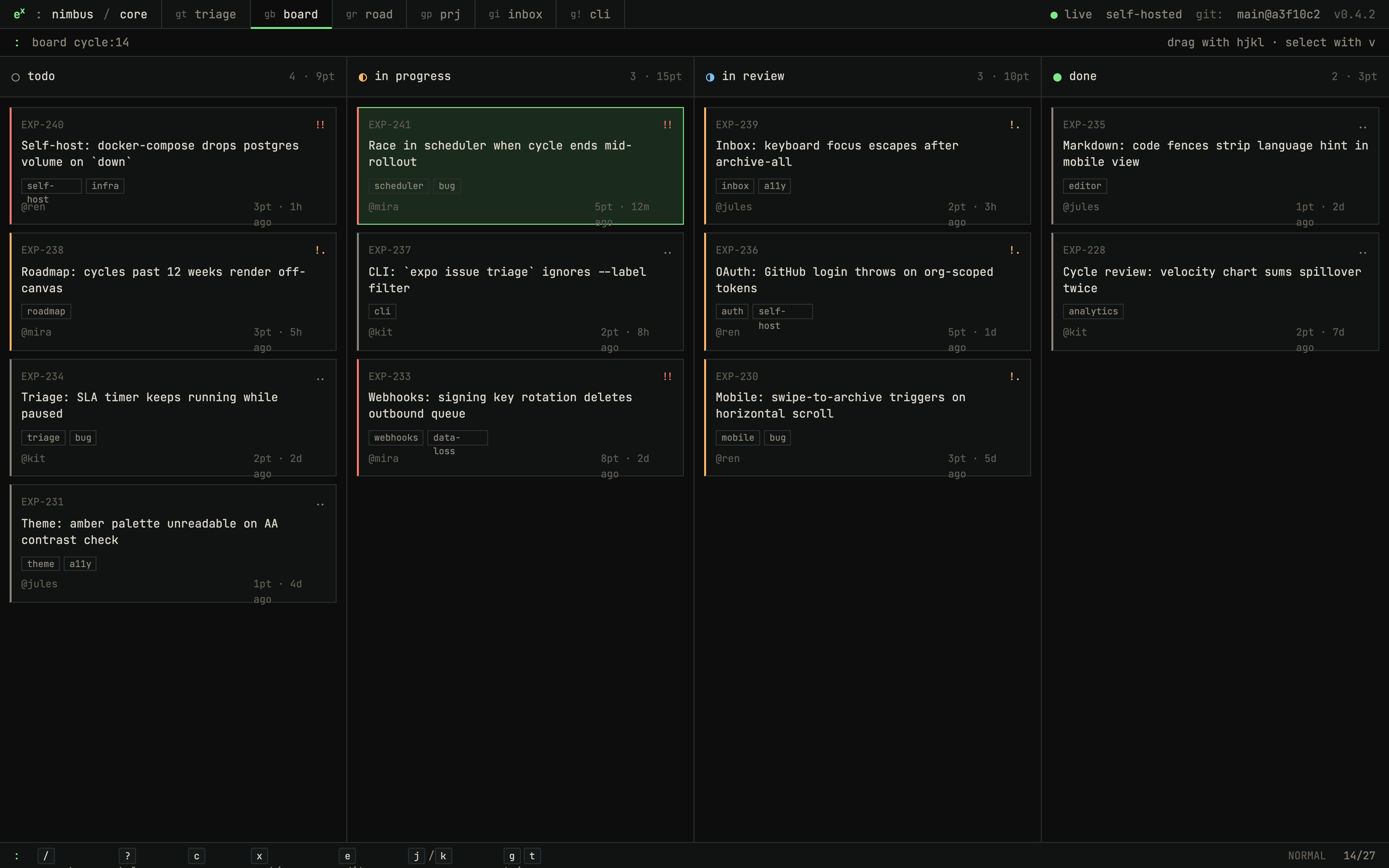
- Issues: list, board, priority, labels, estimates, assignees, comments,
reactions, history, templates, bulk updates, and triage flows.
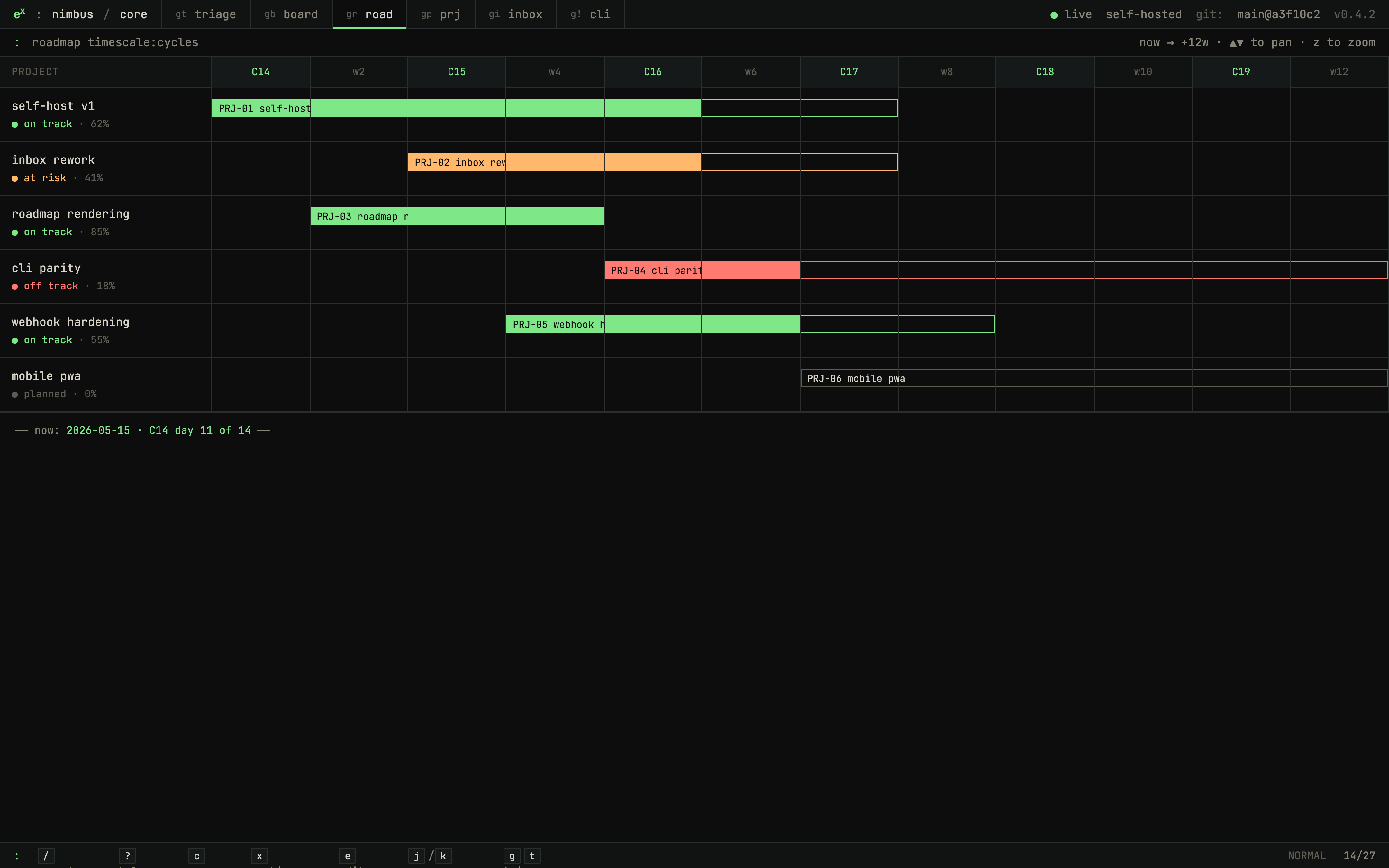
- Projects and roadmap: project detail, milestones, updates, labels,
statuses, templates, progress, and roadmap views.
- Cycles and initiatives: sprint-style cycle planning plus strategic
initiative grouping across projects.
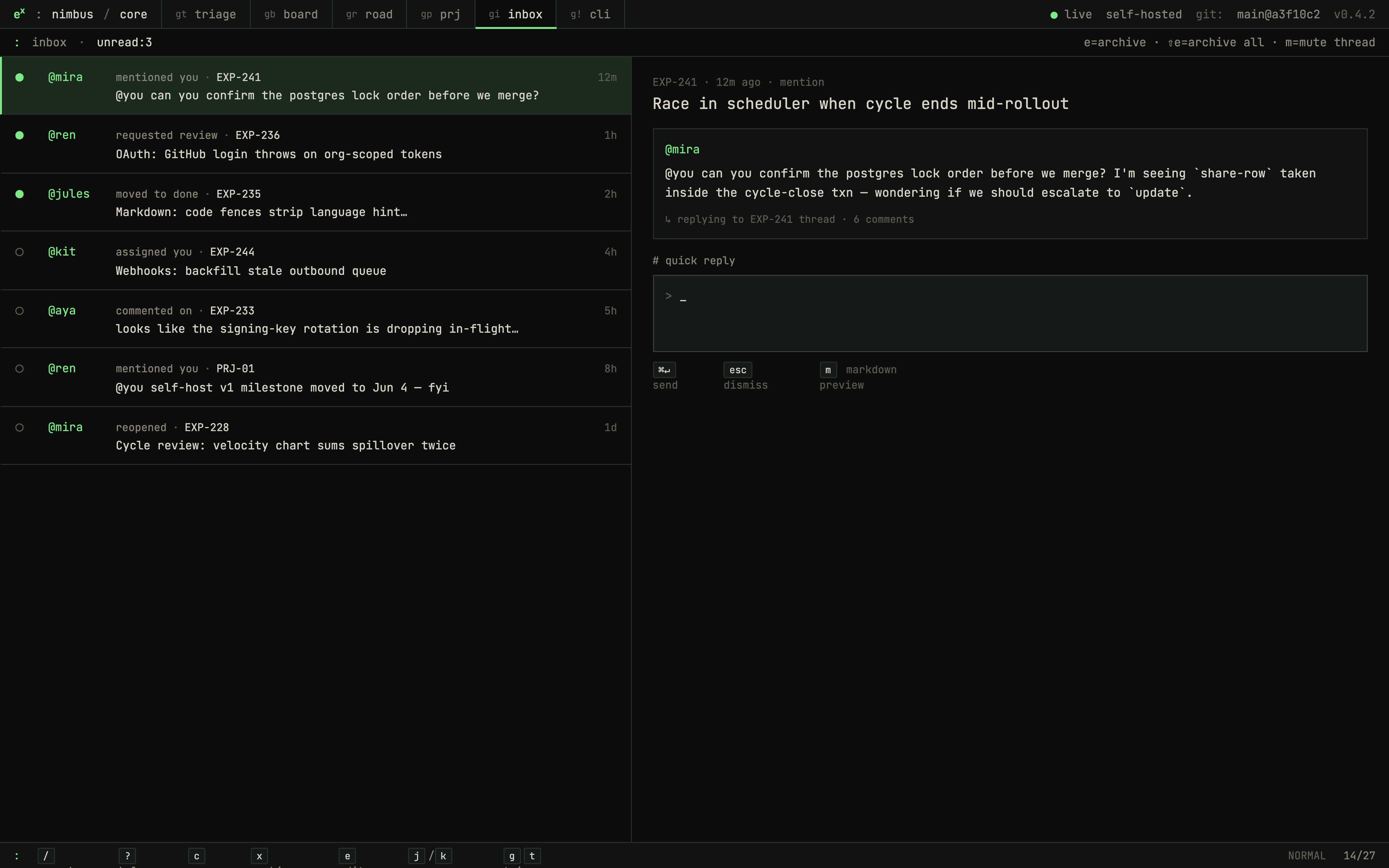
- Inbox and notifications: assignment, mention, inbox, and notification
settings surfaces.
- Workspace admin: members, invitations, security, API/OAuth applications,
import/export, custom emoji, documents, SLA, integrations, and AI settings.
- Keyboard-first UI: command palette, shortcut registry, dense list/board
views, and terminal/editorial visual direction.
- Self-hosting controls: Compose defaults, bind-address controls, optional
Google/GitHub OAuth, Slack OAuth, S3 attachments, SES or Opensend email, metrics token, and ECS deployment scripts.
- MCP server: expose your exponential workspace to AI agents via the local
stdio MCP runtime — read issues, projects, cycles, and more.
Screenshots
Self-Hosting
Docker Compose (recommended)
git clone https://github.com/namuh-eng/exponential.git
cd exponential
cp .env.example .env

# Generate secrets — paste each value into .env

openssl rand -hex 32   # → EXPONENTIAL_SESSION_SECRET
openssl rand -hex 32   # → EXPONENTIAL_METRICS_TOKEN

$EDITOR .env
docker compose up --build
Open http://localhost:7015. The stack runs: web, api, api-migrate,
postgres, and redis.
See docs/self-hosting.md for reverse-proxy headers, bind-address controls, backups, upgrades, and optional integrations.
AWS ECS (production)
cp .env.example .env
bash scripts/prepare-ecs-deploy-env.sh
DB_PASSWORD=<generated> bash scripts/preflight.sh
bash scripts/prepare-ecs-deploy-env.sh
RUN_PROD_SMOKE=true bash scripts/deploy-ecs.sh
Deploys separate API and web services behind an ALB with RDS, ElastiCache, S3, SES, ECR, smoke tests, and Secrets Manager.
Public Demo Instance
Public demo deployments can enable disposable guest access with
EXPONENTIAL_PUBLIC_DEMO_ENABLED=true. Visitors open /api/demo/session, which
creates a 24-hour guest browser session, seeds the deterministic
foreverbrowsing workspace when needed, and redirects into the Engineering demo
team.
Reset the demo workspace manually or from a nightly scheduler:
EXPONENTIAL_API_DATABASE_URL=<demo-database-url> scripts/reset-demo.shThe included Reset public demo GitHub Action runs nightly at 09:17 UTC and
uses the EXPONENTIAL_DEMO_DATABASE_URL Actions secret.
The demo seed disables high-risk side effects for that workspace: attachment uploads, inbound email, outbound integrations, OAuth app/token flows, API/PAT creation, and billing mutations.
Local Development
git clone https://github.com/namuh-eng/exponential.git
cd exponential
pnpm install
cp .env.example .env
docker compose -f docker-compose.dev.yml up --build
Web: http://localhost:7015 · API: http://localhost:7016
CLI and MCP
After creating a personal access token in Workspace → Settings → API, use the CLI, hosted remote MCP endpoint, or local MCP server against the same Go API:
export EXPONENTIAL_TOKEN=pat_your_token
export EXPONENTIAL_API_URL=http://localhost:7016/v1

# CLI

pnpm --filter @namuh-eng/expn-cli cli -- issue ls --json

# Local MCP server (read-only, stdio)

pnpm --filter @exponential/mcp exec exponential-mcp
curl -H "Authorization: Bearer $EXPONENTIAL_TOKEN" \
  -H "Content-Type: application/json" \
  -d '{"jsonrpc":"2.0","id":1,"method":"tools/list"}' \
http://localhost:7016/v1/mcp- CLI docs: docs/cli.md
- MCP docs: docs/mcp.md
- npm publishing: docs/cli-publishing.md
Architecture
| Layer | Implementation |
|---|---|
| Web | Next.js 16, React 19, TypeScript, Tailwind, Radix UI |
| API | Go, chi, pgx, sqlc, OpenAPI strict server stubs |
| Data | PostgreSQL 15+, SQL migrations, Redis 7+ |
| Contract | packages/proto/openapi.yaml + generated TypeScript SDK |
| Auth | First-party Go auth, Google/GitHub OAuth, magic links, session cookies, PATs |
| Optional integrations | S3 attachments, SES/Opensend email, Slack OAuth, OpenAI summaries |
| Deployment | Docker Compose (one host) · AWS ECS Fargate (managed) |
| Validation | make check, make test, make test-e2e, Biome, Vitest, Go tests, Playwright |
Repository Layout
exponential/
├── apps/api/             # Go headless API and migration binary
├── apps/cli/             # TypeScript CLI over the generated SDK
├── apps/mcp/             # Local stdio MCP runtime
├── apps/web/             # Next.js UI-only app
├── packages/mcp-server/  # MCP tool package used by local clients
├── packages/proto/       # OpenAPI contract and SQL migrations
├── packages/sdk/         # Generated TypeScript SDK
├── infra/                # Dockerfiles and ECS task definitions
├── scripts/              # Validation, deploy, smoke, and generation helpers
└── docs/                 # Operator docs and architecture notes
Development Commands
make check      # typecheck, lint/format, API build, OpenAPI, deploy guards
make test       # Go API tests + Vitest unit tests
make test-e2e   # Playwright E2E with the dev stack
make all        # check + test
make dev        # pnpm dev
make build      # production build
License
You may use, modify, and self-host exponential for any internal or personal purpose. You may not offer it as a managed hosted service to third parties.
Contributing
Start with CONTRIBUTING.md. Before opening a PR:
make check
make test
Run make test-e2e before declaring browser-facing flows verified.
Support
Built by Jaeyun Ha at Ralphthon Seoul 2026.